Posts

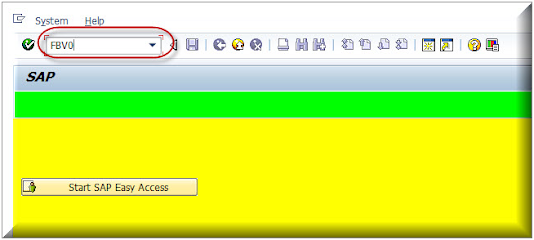
Post Park Customer Invoice in SAP (FBV0)
Image
 This tutorial will explains you how to post park customer invoices in SAP Enter T Code à FBV0 in sap command box Press Enter Enter Company Code, Parked document number, Fiscal Year and then  Press enter Check the details and  Click on Simulate Click Post to Post the invoice. Thanks for the reading this tutorial.

Check Vendor Withholding Tax Report in SAP

Image
  This tutorial will explains you how to get withholding Tax Reports in SAP. Please go through this and enjoy learning. Enter Transaction Code à J1INEMIS Press enter Enter above details and click on execute. Above is the report details. So By this way you can get withholding Tax report in SAP. Below is the video from my Youtube channel. Please watch and share this video. THANK YOU for your time. ***********************End of the tutorial **********************  

SAP GUI Tips (Standard Toolbars) part - 01

Image
This Blog will explain you some of the selected SAP GUI TIPS one by one with their image, Shortcut key and their description. 1. To Print SAP document 2.To Find any thing in SAP 3. For Continue Search in SAP 4.To go First Page 5. To Go Previous Page End of this blog. Please Like and Share this information in your circle